
Top 15 AI Tools for Graphic Designers in 2026 (Free & Paid) – Tested and Reviewed
The AI tools available to graphic designers in 2026 are genuinely impressive. But impressive and useful are two different things, and most roundups treat them the same way. So instead of listing every AI tool that exists, this guide focuses on the 15 that actually fit into a real design workflow – organized by what they do, with honest notes on where each one falls short.
Whether you are a freelancer looking to speed up client work, an in-house designer managing a high volume of assets, or someone just starting out, the right AI tools for graphic designers can genuinely change how much you get done in a day. The wrong ones just add noise to your workflow.
At a Glance
The best AI tools for graphic designers in 2026 are Adobe Firefly (best for professional workflows), Midjourney (best for image generation), Canva AI (best for beginners), Remove.bg (best for background removal), and Khroma (best for color palettes). Most offer free plans. Adobe Firefly is the safest choice for commercial use due to its trained-on-licensed-content model.
More Design Guides on CGfrog:
- How to Make Advanced Hair Selections in Photoshop
- How to Remove Background in Photoshop: 6 Methods
- How to Design a Logo: Complete Process Guide
- Color Psychology in Design
- 15 Best Color Combinations for Logo Design
What to Look for in AI Design Tools
Before jumping into the list, it helps to know what actually matters when evaluating these tools. Three things come up in real-world use more than anything else.
First, commercial licensing. Some AI image generators are trained on unlicensed content, which creates legal gray areas when you use the output for client work. Adobe Firefly is the clearest exception here – Adobe trained it on licensed Adobe Stock images specifically to make commercial use safe.
Second, integration with your existing tools. An AI tool you have to switch apps to use will get abandoned. Tools that live inside Photoshop, Figma, or Canva get used because they are already in your workflow.
Third, the quality floor, not the ceiling. Every AI tool shows its best outputs in marketing. What matters is the quality of average output on a normal day with a normal prompt. That varies significantly between tools.
Top 15 AI Tools for Graphic Designers in 2026
1. Adobe Firefly – Best for Professional Workflows
Best for: Designers already using Adobe CC
Pricing: Included in Adobe Creative Cloud plans. Standalone free tier available.
Free plan: Yes — limited monthly credits
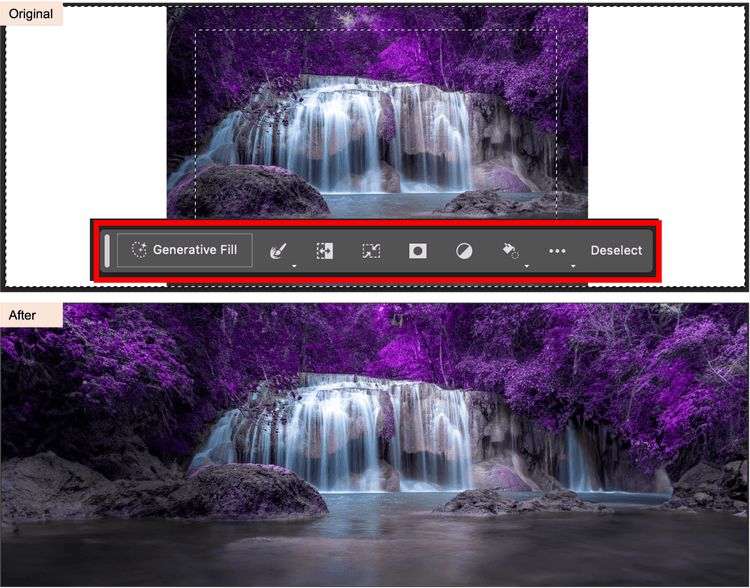
Firefly is built directly into Photoshop, Illustrator, and Adobe Express, which means you do not need to switch tools or copy-paste outputs. The Generative Fill feature in Photoshop alone has genuinely changed how retouching and compositing work – you can extend backgrounds, remove objects, and fill selections with context-aware AI in seconds.
The biggest practical advantage over competitors is the commercial licensing story. Adobe trained Firefly on Adobe Stock images and publicly licensed content, so the outputs are cleared for commercial use. For client work, that matters.
Where it falls short: Firefly’s image generation quality is not as strong as Midjourney for pure creative output. It excels at practical design tasks — editing, filling, extending — more than standalone image creation.
For a deeper look at what Firefly can do inside Photoshop, see our guide on removing backgrounds in Photoshop where Generative Fill plays a major role.
2. Midjourney — Best for Image Generation
Best for: Concept art, mood boards, creative direction, poster design
Pricing: Paid only – starts at $10/month
Free plan: No
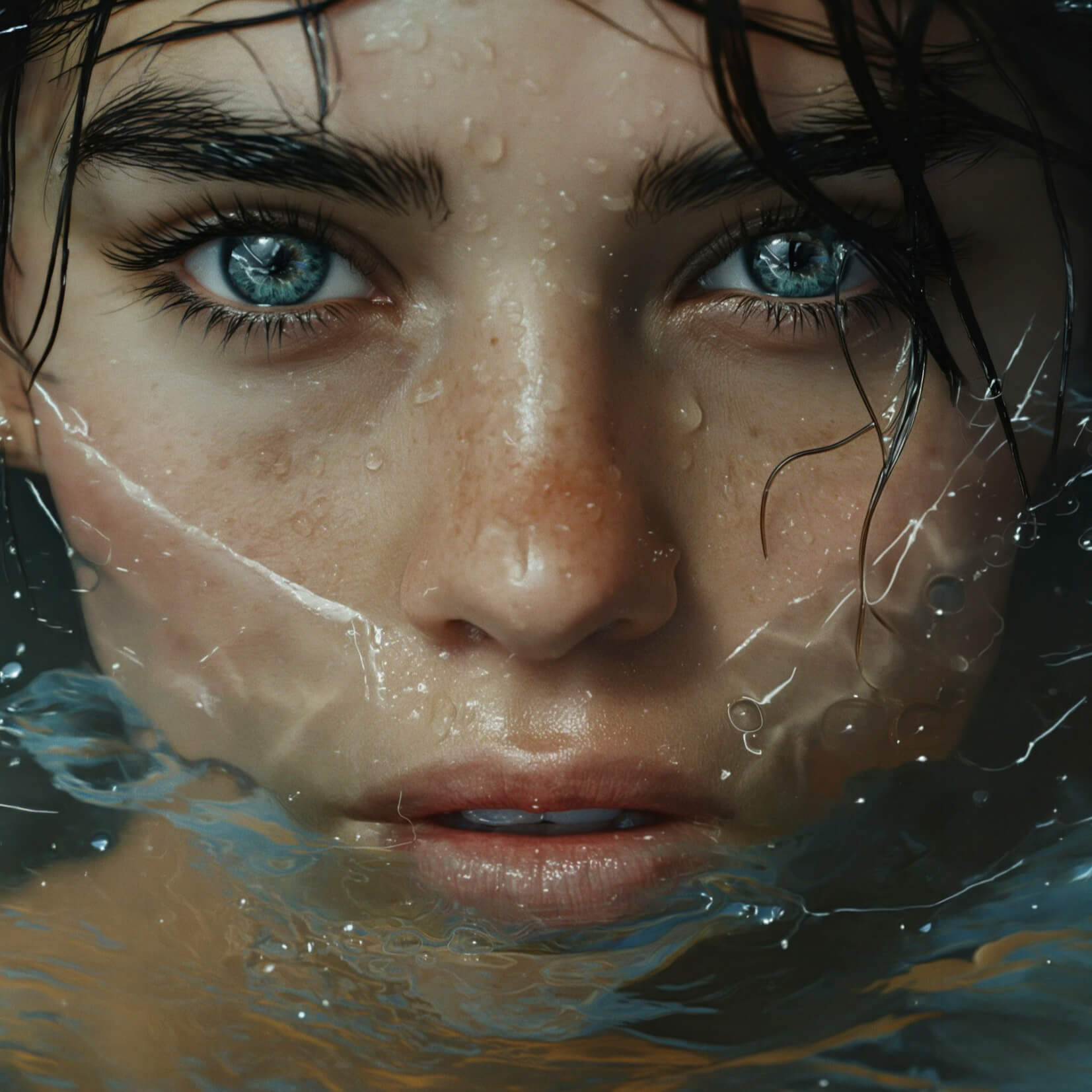
Prompt Used: Close-up of a face with blue eyes and wet hair, partially submerged in water, highlighting skin texture and water droplets.
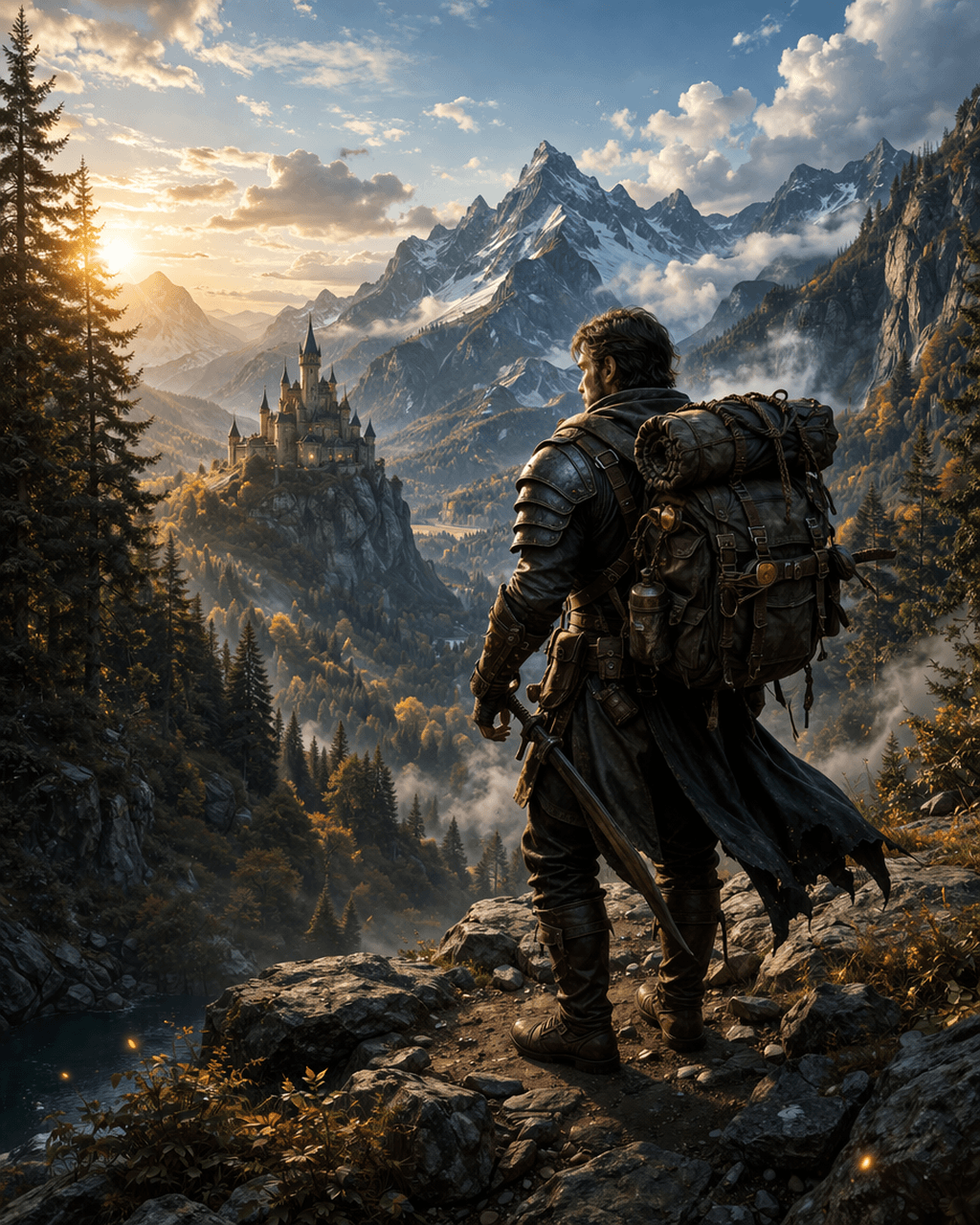
Prompt Used: A rugged fantasy adventurer standing on a rocky cliff, detailed armor and gear, large backpack, holding a sword, overlooking a vast cinematic landscape with snow-capped mountains, misty valleys and a distant medieval castle, golden hour lighting, ultra detailed, realistic textures, dramatic composition, volumetric lighting, 8k --ar 2:3 --v
Midjourney consistently produces the highest quality images of any text-to-image tool available right now. The level of detail, lighting, and composition in its outputs goes beyond what other generators reliably deliver. For concept exploration, client mood boards, and creative direction work, it has become a standard tool for many professional designers.
The learning curve is real though. Getting consistently good results requires understanding prompting – aspect ratios, style references, negative prompts, and version parameters all affect output significantly. The Discord-based interface is also unusual, though Midjourney has been rolling out a web interface.
Where it falls short: No free plan. Commercial licensing terms require a paid subscription. And for text rendering inside images, Midjourney still struggles – Adobe Firefly handles type much better.
3. DALL-E 3 – Best for Quick Creative Experiments
Best for: Fast image generation, marketing visuals, concept sketching
Pricing: Free via ChatGPT. Paid via API.
Free plan: Yes – via ChatGPT free tier
DALL-E 3 is available directly inside ChatGPT, which makes it the most accessible image generator for most people. The quality has improved significantly from earlier versions and it handles complex multi-element prompts better than most competitors.
For designers, it works well as a fast ideation tool – generating rough visual concepts quickly before refining them in Photoshop or Illustrator. However, the output consistency is not as reliable as Midjourney for professional-grade results.
Where it falls short: Output style is less distinctive and controllable than Midjourney. Fine control over composition and lighting requires much more detailed prompting.
4. Canva AI – Best for Beginners and Social Content
Best for: Social media graphics, presentations, marketing materials
Pricing: Free + Canva Pro from $15/month
Free plan: Yes – generous free tier
Canva’s AI features – Magic Design, Magic Write, and its image generator – are built directly into a design interface that non-designers can actually use. For a marketing team producing high volumes of social content, it genuinely speeds up production.
For professional graphic designers, Canva sits in a supporting role rather than a primary tool. It is useful for quickly templating content or producing assets that do not require precise design control. The AI features are good enough for social media work but not for anything requiring pixel-level precision.
Where it falls short: Limited creative control compared to Adobe tools. Not suitable for print production or complex design work. The AI outputs are competent but generic.
5. Leonardo AI – Best Midjourney Alternative
Best for: Game assets, concept art, product visualization
Pricing: Free + paid plans from $12/month
Free plan: Yes – 150 daily tokens
Leonardo AI offers more control over image generation than most competitors, including fine-tuned models for specific styles, an image-to-image workflow, and the ability to train custom models on your own assets. For designers who need consistent style across a series of images, this level of control is genuinely useful.
The free plan is more generous than most alternatives, making it worth testing before committing to a paid plan.
Where it falls short: The interface is more complex than Midjourney and takes longer to learn. Peak output quality is slightly below Midjourney’s best results.
6. Runway ML – Best for Motion and Video
Best for: Video editing, motion graphics, AI video generation
Pricing: Free + paid from $15/month
Free plan: Yes – limited credits
Runway has become the go-to AI tool for designers who work with motion. Its Gen-2 and Gen-3 video generation models can produce short video clips from text prompts or images, and its video editing features — background removal from video, motion tracking, rotoscoping – are genuinely useful for production work.
If your work involves any video or animation, Runway is worth learning in 2026. The space is moving fast and Runway is consistently ahead of most competitors.
Where it falls short: Video generation quality is impressive but still not reliably consistent for professional deliverables. It works better as a creative tool than a production tool right now.
7. Remove.bg – Best for Background Removal
Best for: Product photography, e-commerce assets, portrait cutouts
Pricing: Free (low-res) + paid plans
Free plan: Yes – with watermark/low resolution
Remove.bg does one thing and does it well. Paste an image, get a clean cutout in seconds. For high volumes of product photography or e-commerce work where manual Photoshop selections would take too long, it is genuinely useful.
However, for complex hair, fur, or transparent objects, it still falls short of what a careful manual selection in Photoshop produces. For professional portrait work, see our guide on advanced hair selections in Photoshop – the results are significantly better.
Where it falls short: Struggles with fine hair, semi-transparent edges, and complex backgrounds. High-res output requires a paid plan.
8. Khroma – Best for Color Palettes
Best for: Color palette generation, brand color exploration
Pricing: Free
Free plan: Yes – fully free
Khroma learns your color preferences through an initial selection process and then generates unlimited palettes based on your aesthetic. For designers who spend significant time exploring color directions for brand projects, it removes a lot of manual trial and error.
It works well alongside our color guides – you can take a specific shade from our Shades of Blue, Shades of Green, or Shades of Red guides and use Khroma to build a full palette around it.
Where it falls short: The initial training process takes time. It is a color exploration tool, not a color system builder — you still need to make final decisions manually.
9. Fontjoy – Best for Font Pairing
Best for: Typography, brand identity, web design
Pricing: Free
Free plan: Yes – fully free
Fontjoy uses deep learning to generate font pairings that work well together. You lock a font you want to use and it generates complementary options for headings, subheadings, and body text. For designers who struggle with typography decisions or need to move quickly on a brand project, it is a useful starting point.
Where it falls short: It works with Google Fonts only, which limits options for premium typography. It is a starting point for exploration, not a final answer on its own.
10. Uizard – Best for UI/UX Design
Best for: UI mockups, wireframes, app design
Pricing: Free + paid from $12/month
Free plan: Yes – limited projects
Uizard can convert hand-drawn sketches into digital wireframes using AI, and its text-to-UI feature generates interface designs from a text description. For UI/UX designers in the early stages of a project, it speeds up the ideation phase significantly.
Where it falls short: The output quality is good for wireframing and early concepts but not for final UI deliverables. Most teams use it to get started and then move to Figma for production.
11. Adobe Sensei – Best for Workflow Automation
Best for: Photoshop, Illustrator, InDesign users
Pricing: Included in Adobe CC
Free plan: Only if already on Adobe CC
Adobe Sensei is not a standalone tool — it is the AI layer built into the entire Adobe Creative Cloud suite. Neural Filters in Photoshop, Auto Recolor in Illustrator, and smart layout suggestions in InDesign are all Sensei. Most Adobe CC users are already using it without thinking of it as a separate AI tool.
The most useful Sensei features for working designers are Neural Filters (skin smoothing, colorization, style transfer), Subject Selection, and the increasingly capable Generative Fill which now sits under the Firefly umbrella.
12. Let’s Enhance – Best for Image Upscaling
Best for: Upscaling low-res images, print preparation
Pricing: Free trial + paid from $9/month
Free plan: Limited trial credits
Let’s Enhance uses AI to upscale images up to 16x without the quality loss that traditional upscaling produces. For designers who regularly receive low-resolution assets from clients and need to use them in print or large-format work, it is a practical time-saver.
Where it falls short: Works best on photographs. Illustration and graphic design assets do not always upscale as cleanly. Does not work miracles on very low quality or heavily compressed source files.
13. Cleanup.pictures – Best for Object Removal
Best for: Removing unwanted objects from photos
Pricing: Free (low-res) + paid
Free plan: Yes – with limitations
Cleanup.pictures does one thing: removes objects from images using AI inpainting. Paint over something you want removed and it fills the area with contextually appropriate content. For quick retouching jobs — removing a logo from a background, clearing distractions from a product shot, tidying up a stock photo — it is faster than doing it manually in Photoshop.
Where it falls short: For complex removals or areas with intricate background detail, manual Photoshop work still produces cleaner results. It is a speed tool for simple jobs, not a replacement for careful retouching.
14. Looka – Best for AI Logo Generation
Best for: Quick logo concepts, startups, small businesses
Pricing: Free to try, paid to download – from $20 one-time
Free plan: Preview only
Looka generates logo concepts based on your industry, style preferences, and color choices. For a designer, it is useful as a fast starting point or for showing clients rough direction options before developing a custom solution. For end clients who cannot afford custom design, it is a viable entry-level option.
However, AI-generated logos from any tool share a fundamental limitation: they lack the strategic thinking, trademark research, and file format expertise that a professional designer brings. For brands that will grow, a professional logo design is worth the investment.
If a client needs more than a template logo can offer, CGfrog’s logo design service handles the full process from brief to final files – packages from $39.99.
15. Designs.ai – Best All-in-One AI Suite
Best for: Designers who need multiple tools in one subscription
Pricing: From $19/month
Free plan: 2-day free trial
Designs.ai bundles several AI tools into one subscription: a logo maker, video maker, social media designer, voiceover generator, and color palette tool. For freelancers managing multiple types of deliverables, the bundled pricing can be more economical than paying for separate tools.
Where it falls short: No individual tool in the suite reaches the quality ceiling of specialized competitors. It is a breadth play, not a depth play. If you need the best possible output in any one category, a dedicated tool will outperform it.
AI Tools for Graphic Designers – Comparison Table
| Tool | Best For | Free Plan | Starting Price |
|---|---|---|---|
| Adobe Firefly | Professional workflows | Yes | Included in CC |
| Midjourney | Image generation | No | $10/month |
| DALL-E 3 | Quick creative experiments | Yes | Free via ChatGPT |
| Canva AI | Social content, beginners | Yes | $15/month |
| Leonardo AI | Game assets, concept art | Yes | $12/month |
| Runway ML | Video and motion | Yes | $15/month |
| Remove.bg | Background removal | Yes | Pay per image |
| Khroma | Color palettes | Yes | Free |
| Fontjoy | Font pairing | Yes | Free |
| Uizard | UI/UX design | Yes | $12/month |
| Adobe Sensei | Workflow automation | With Adobe CC | Included in CC |
| Let’s Enhance | Image upscaling | Limited | $9/month |
| Cleanup.pictures | Object removal | Yes | Pay per use |
| Looka | AI logo generation | Preview only | $20 one-time |
| Designs.ai | All-in-one suite | 2-day trial | $19/month |
Which AI Tools Are Actually Worth Paying For?
Honest answer: it depends entirely on what kind of design work you do most.
If you are an Adobe CC subscriber already, Firefly and Sensei are included — use them first before paying for anything else. The Generative Fill feature alone justifies the subscription for most designers.
If image generation is core to your work – concept art, editorial, advertising – Midjourney at $10/month is the clearest value. The output quality difference between Midjourney and free alternatives is significant enough to justify the cost for professional work.
If you work with video or motion at all, Runway ML is worth exploring. The space is moving fast and getting familiar with it now puts you ahead of most designers.
Everything else on this list has a usable free tier. Start free, upgrade only if you are hitting the limits regularly.
Need a professional logo — not an AI-generated one? AI logo tools are useful for quick concepts, but they cannot replace the strategic thinking, trademark awareness, and file quality of a professional designer. CGfrog has been building brand identities for over 14 years — packages start from $39.99 with unlimited revisions and full copyright transfer. View CGfrog logo design packages →
Recommended Resources for AI-Powered Design
Looking for premium assets to use alongside these AI tools? Envato Elements gives you unlimited access to fonts, templates, mockups, and graphic assets — everything you need to finish what AI tools start.
For individual assets from independent designers, Creative Market has a strong collection of design resources including AI prompt packs, mockups, and brand identity kits.
If a client project needs a professional logo rather than an AI-generated one, 99designs connects you with vetted designers for brand identity work at every budget level.
FAQ
The best AI tools for graphic designers in 2026 are Adobe Firefly for professional workflows, Midjourney for image generation, Canva AI for beginners and social content, Remove.bg for background removal, and Khroma for color palette generation. The right choice depends on what type of design work you do most frequently.
Adobe Firefly has a standalone free tier with limited monthly credits. It is also included in all Adobe Creative Cloud plans. For designers already paying for Photoshop or Illustrator, Firefly is effectively free since it is integrated directly into those tools. The free tier is sufficient for occasional use but most professionals will hit the credit limit quickly.
It depends on the tool. Adobe Firefly is explicitly trained on licensed content and cleared for commercial use. Midjourney allows commercial use on paid plans. DALL-E 3 via ChatGPT Plus permits commercial use. However, the legal landscape is still evolving, and for high-stakes commercial work it is worth checking each tool’s current terms of service before using AI-generated content in client deliverables.
No – but they are changing what graphic designers spend their time on. Repetitive production tasks, background removal, basic image editing, and template creation are increasingly handled by AI. Strategic thinking, brand development, client communication, and design judgment are not. Designers who learn to use AI tools effectively will be significantly more productive than those who do not, but the demand for skilled design thinking is not going away.
Khroma and Fontjoy are both fully free with no credit limits – useful for color and typography work respectively. Adobe Firefly, Leonardo AI, and Canva AI all have usable free tiers that cover basic needs. For image generation specifically, DALL-E 3 via the free ChatGPT tier offers the most accessible starting point without any cost.
Midjourney is a standalone image generation tool accessed via Discord or its web interface. It produces highly detailed, stylistically rich images from text prompts and is considered the top option for pure creative image generation. Adobe Firefly is integrated into Photoshop and Illustrator and focuses on practical design tasks like Generative Fill, text effects, and background extension. Midjourney is better for creating images from scratch. Firefly is better for editing and extending existing design work.
Adobe Firefly and Adobe Sensei are built directly into Photoshop and Illustrator. Several third-party tools also offer Photoshop plugins — including some image upscalers and background removers. For most AI tools outside the Adobe ecosystem, the typical workflow is to generate assets in the AI tool and then bring them into Photoshop or Illustrator for refinement and final production work.
Don't Miss
The $100k Designer Stack: 10 AI Tools That Justify Higher Rates (2026)
50 Free AI Logo Prompts (That Actually Work in 2026) – Leonardo AI & DALL·E
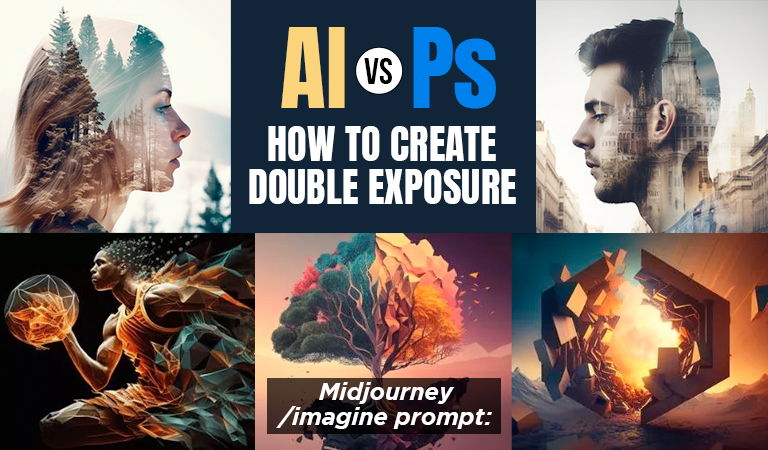
Double Exposure Effect in Midjourney AI, Is It Better Than Photoshop?
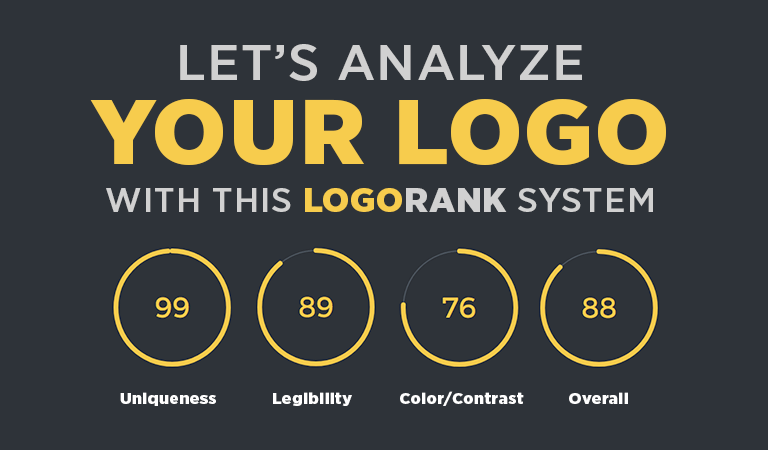
Logo Rank System: An AI Which Will Analyze Your Logo
Shades of Green: 100+ Green Color Names with HEX & RGB Codes
