Top 15 AI Tools for Graphic Designers in 2026 (Free & Paid)
Artificial Intelligence is transforming the way graphic designers work in 2026. From generating stunning visuals to automating repetitive tasks, AI tools are helping designers save time, boost creativity, and deliver better results faster.
Whether you’re a beginner or a professional designer, using the right AI tools can completely change your workflow. In this article, we’ll explore the top AI tools for graphic designers in 2026 — including both free and paid options.
🔥 Why AI Tools Are Important for Designers
- Save time on repetitive tasks
- Generate creative ideas instantly
- Improve productivity
- Enhance design quality
If you’re not using AI yet, you’re already behind.
Top 15 AI Tools for Graphic Designers
1. Midjourney
One of the most powerful AI tools for creating high-quality images from text prompts. Perfect for concept art, posters, and creative visuals.
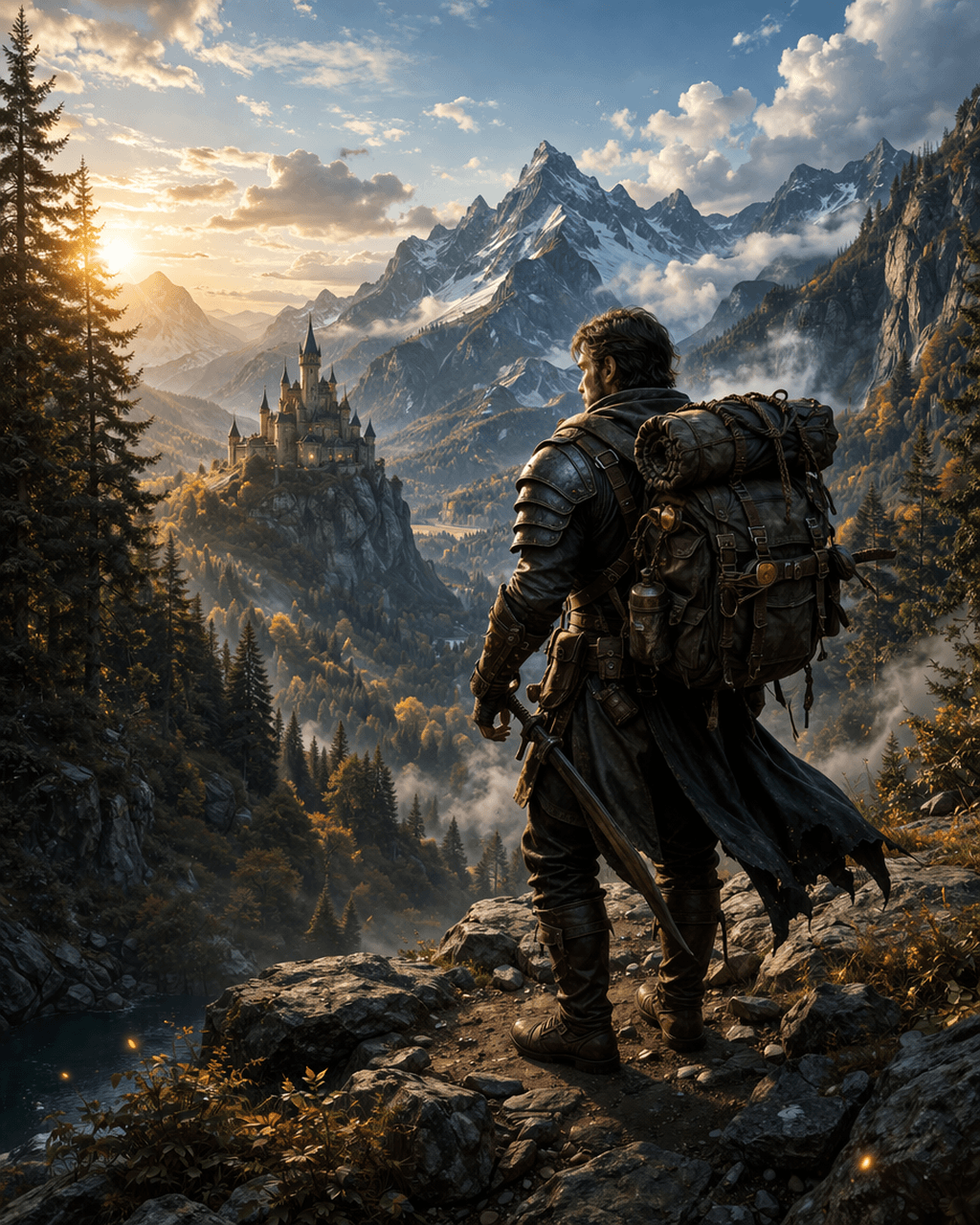
Prompt Used:
A rugged fantasy adventurer standing on a rocky cliff, detailed armor and gear, large backpack, holding a sword, overlooking a vast cinematic landscape with snow-capped mountains, misty valleys and a distant medieval castle, golden hour lighting, ultra detailed, realistic textures, dramatic composition, volumetric lighting, 8k --ar 2:3 --vBest for: Image generation
Pricing: Paid
Difficulty: Medium
2. DALL·E
Developed by OpenAI, DALL·E creates realistic images from text. Great for marketing creatives and design experiments.
Best for: Creative image generation
Pricing: Free + Paid
3. Adobe Firefly
Adobe’s AI tool integrated into Photoshop and Illustrator. Helps generate designs, text effects, and more.
Best for: Professional workflows
Pricing: Included in Adobe plans
4. Canva AI
Canva’s AI features help with design layouts, image generation, and content writing.
Best for: Beginners
Pricing: Free + Paid
If you’re just starting out, you should also check our complete guide on
logo design process to build strong fundamentals.
5. Runway ML
Advanced AI tool for video editing and motion graphics. Perfect for designers working with video content.
Best for: Video & motion design
Pricing: Free + Paid
6. Leonardo AI
A powerful alternative to Midjourney, especially for game assets and creative visuals.
Best for: Game design & assets
Pricing: Free + Paid
Many of these tools also help in creating UI elements — if you’re into UI, check our button design guide.
7. Remove.bg
Automatically removes backgrounds from images in seconds.
Best for: Photo editing
Pricing: Free + Paid
8. Looka
AI-powered logo maker that helps create brand identities quickly.
Best for: Logo design
Pricing: Paid
Understanding color is equally important when using AI tools.
Read our guide on color psychology in design to improve your visual decisions.
9. Uizard
Turns sketches into UI designs using AI. Great for UI/UX designers.
Best for: UI/UX design
Pricing: Free + Paid
10. Khroma
AI tool that generates color palettes based on your preferences.
Best for: Color selection
Pricing: Free
11. Designs.ai
A complete suite for logos, videos, and design automation.
Best for: All-in-one design
Pricing: Paid
12. AutoDraw
Google’s AI tool that turns rough sketches into polished drawings.
Best for: Quick sketches
Pricing: Free
13. Let’s Enhance
Improves image quality using AI.
Best for: Image upscaling
Pricing: Free + Paid
14. Fontjoy
Helps designers find perfect font combinations.
Best for: Typography
Pricing: Free
15. Cleanup.pictures
Removes unwanted objects from images easily.
Best for: Photo cleanup
Pricing: Free + Paid
Best AI Tools by Category
- Image Generation: Midjourney, DALL·E, Leonardo AI
- UI/UX Design: Uizard
- Logo Design: Looka
- Color & Typography: Khroma, Fontjoy
# 🚀 Final Thoughts
AI tools are powerful, but they don’t replace creativity — they enhance it.
👉 Which AI tool do you use the most? Comment below!