Free Photoshop Brushes for Digital Artists & Concept Art (2026 Edition)
Finding the right free Photoshop brushes can completely transform your digital painting workflow. However, with thousands of brush packs available online, knowing which ones are actually worth downloading is the real challenge. That is why we curated this list – 17 professional brush packs used by real concept artists, portrait painters, and environment designers. Whether you are just starting out or already working on client projects, these brushes will save you hours of work.
If you’re looking for more free design resources, you may also like: Download Free Duotone Photoshop Actions to Make Your Stylish Images
In addition to saving time, the right brush pack also helps you develop a more consistent painting style. Because these packs are created by professional artists, they already have the pressure sensitivity, spacing, and texture settings dialed in. So instead of spending hours tweaking brush settings, you can focus on actually creating.
If you are also looking for more free design resources, check out our collection of free Photoshop actions and 300+ free color gradients that work perfectly alongside these brush packs.
How to Use These Free Photoshop Brushes (Beginner-Friendly Guide)
Getting started with these free Photoshop brushes is incredibly simple. In just a few minutes, you can install professional-quality brush packs and start creating cinematic digital artwork, concept art, portraits, and textures inside Photoshop.
1. Download the Brush Pack
Choose your favorite brush pack and download the files. Most Photoshop brush collections come in .ABR format, which Photoshop supports natively.
2. Import Brushes into Photoshop
Open Adobe Photoshop and go to the Brushes Panel. Click the settings icon in the top-right corner and select Import Brushes. Locate your downloaded .ABR file and import it.
3. Start Painting Immediately
Once imported, your new brushes will appear inside your brush library. Select a brush, adjust the size, opacity, and flow settings, and begin painting directly on your canvas.
4. Customize for Better Results
Most professional artists customize brush spacing, pressure sensitivity, texture settings, and blending modes to create unique effects. Don’t hesitate to experiment with settings.
Furthermore, do not limit yourself to default brush settings. Because every artist has a different style, experimenting with opacity, flow, and blending modes will help you find what works best for your specific workflow.
5. Practice Different Brush Styles
Try combining soft brushes, texture brushes, foliage brushes, and painterly brushes together. Mixing multiple brush styles can instantly make your artwork feel more professional and cinematic.
Best Free Photoshop Brushes Collection
1. Loish Photoshop Brushes
Loish is famous for her soft and colorful painting style. This free Photoshop brush pack includes soft blending brushes, sketch brushes, and painterly tools ideal for portraits and character illustrations. If you love stylized digital paintings, these brushes are a great starting point.
Similarly, if you prefer a slightly more textured painting style, the next pack on this list is worth exploring.
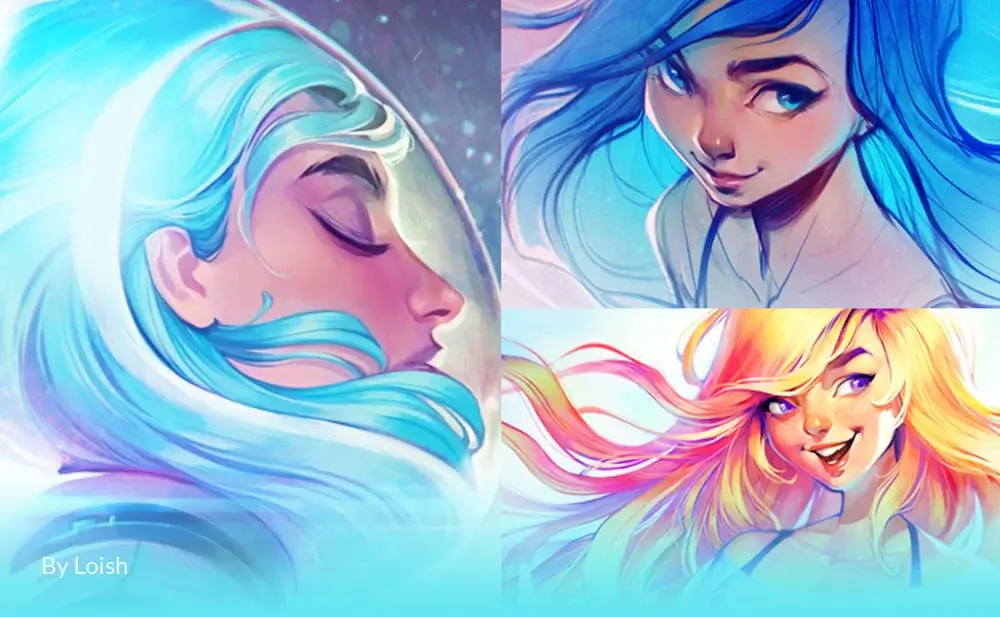
Best for:
- Character art
- Anime-style painting
- Soft color blending
- Portrait illustrations
Artist Credit: Brushes created by digital artist Loish.
2. Greg Rutkowski Brush Set
A powerful brush collection widely used by fantasy and concept artists for creating cinematic landscapes, textured environments, and atmospheric scenes.
In addition to landscapes, the following brush set works exceptionally well for realistic portrait work.
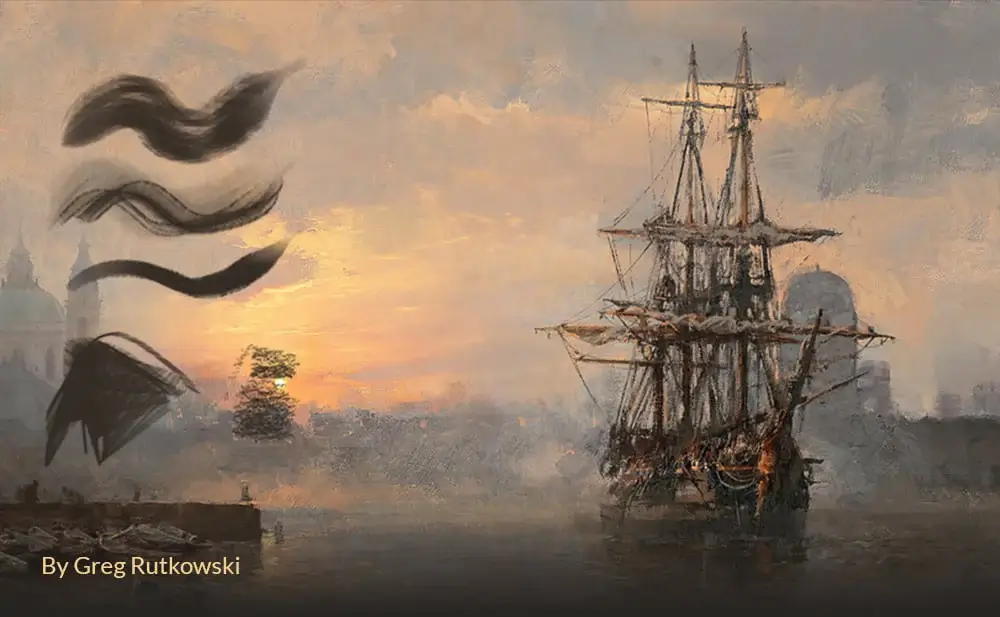
Best for:
- Fantasy environments
- Concept art
- Matte painting
- Texture work
Artist Credit: Created by fantasy artist Greg Rutkowski
3. Aaron Griffin Brushset
Professional portrait painting brushes optimized for realistic skin textures, facial details, and smooth rendering.
However, if environment painting is more your focus, the next pack covers foliage, textures, and landscape tools in detail.
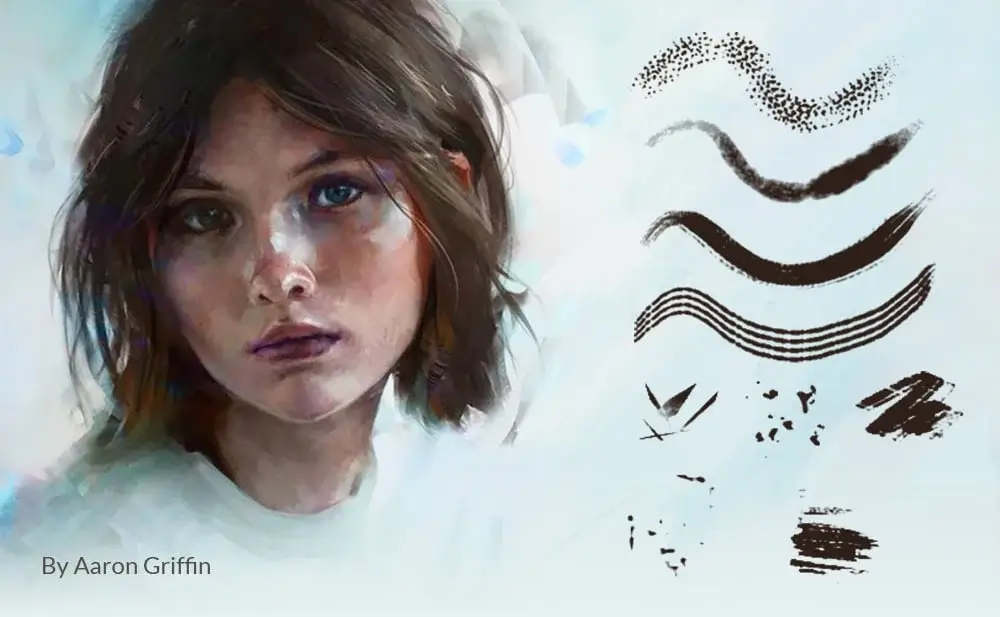
Best for:
- Portrait painting
- Realistic faces
- Skin rendering
- Illustration work
Artist Credit: Brushes by portrait artist Aaron Griffin
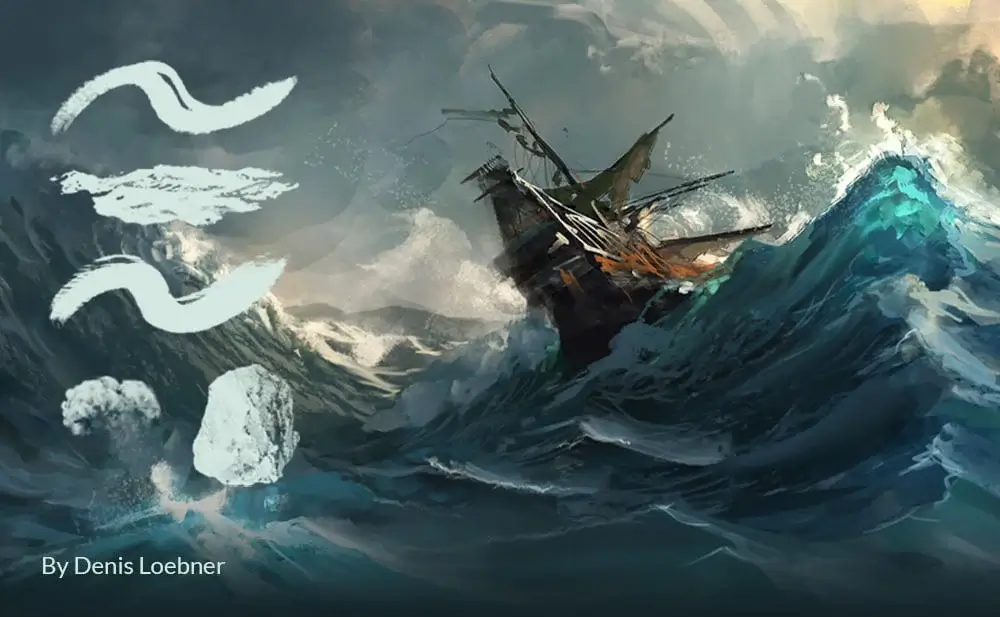
4. Denis Loebner Brushes + Shapes
A complete concept art brush set featuring foliage textures, landscape brushes, and shape tools for environment artists.
Furthermore, for artists who work on fantasy concepts and cinematic scenes, the following brushset is one of the most downloaded on this list.
Best for:
- Environment painting
- Matte painting
- Landscape art
- Nature textures
Artist Credit: Brushes and shapes by Denis Loebner
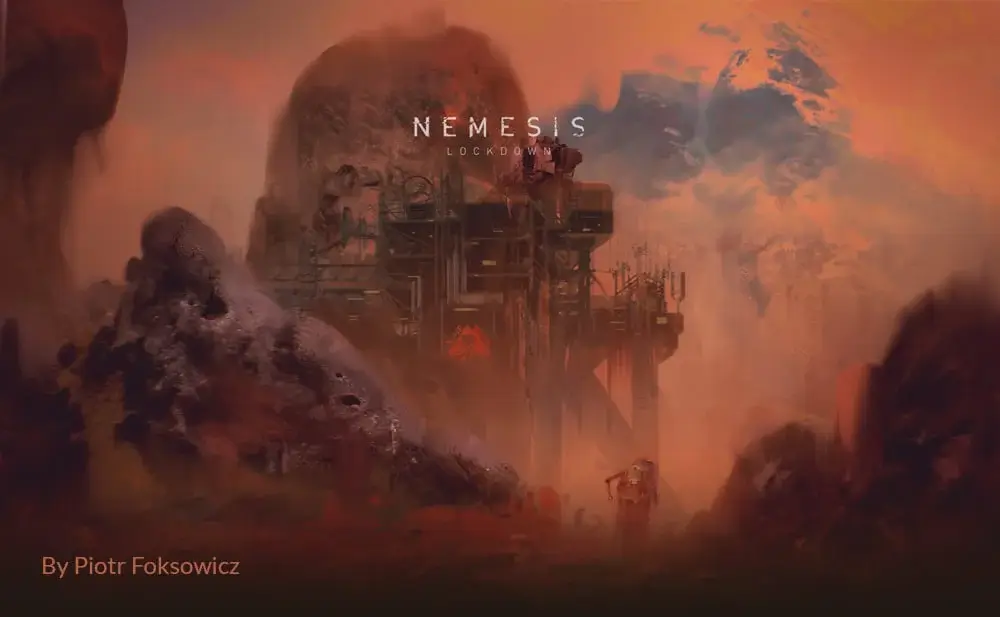
5. Piotr Foksowicz Brushset
A textured Photoshop brush collection built for fantasy concepts, rough environment sketches, and cinematic lighting effects.
Because smooth rendering and soft shading are essential for character art, the next pack is specifically built for that style.
Best for:
- Fantasy concepts
- Environment art
- Rough painting
- Cinematic scenes
Artist Credit: Brushset created by Piotr Foksowicz
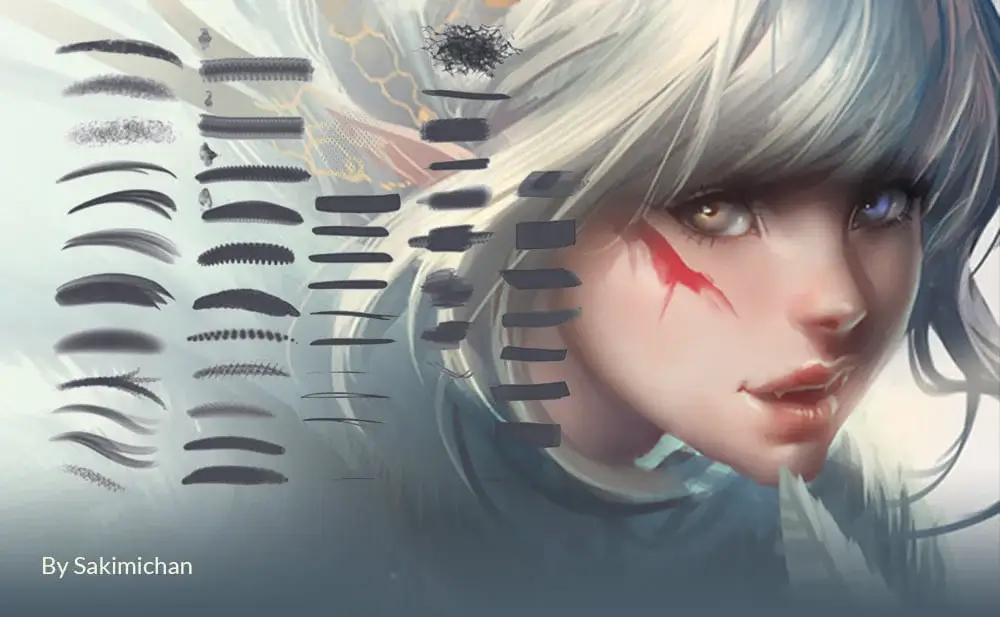
6. Sakimichan Brushes
Popular anime-inspired Photoshop brushes ideal for smooth rendering, soft shading, and colorful character illustrations.
In contrast, if you work on AAA game concepts and sci-fi environments, the following brushes are used by professional game industry artists.
Best for:
- Anime art
- Character painting
- Stylized portraits
- Smooth shading
Artist Credit: Brushes by Sakimichan
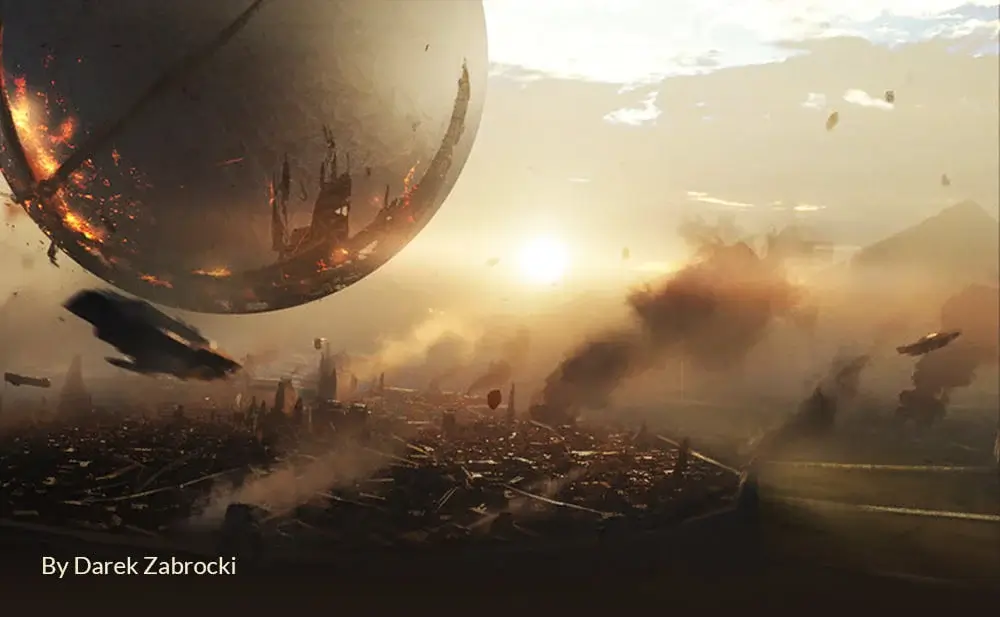
7. Darek Zabrocki Brushes
Professional concept art brushes used for sci-fi environments, AAA game concepts, and cinematic speed painting.
Additionally, for dramatic lighting and atmospheric effects, the next collection delivers cinematic results with minimal effort.
Best for:
- Sci-fi concept art
- Environment design
- Game art
- Texture painting
Artist Credit: Created by concept artist Darek Zabrocki
8. Houston Sharp Brushes
High-quality Photoshop brushes focused on dramatic textures, atmospheric painting, and cinematic lighting effects.
Similarly, the following pack focuses on high-quality concept brushes designed specifically for environment and matte painting work.
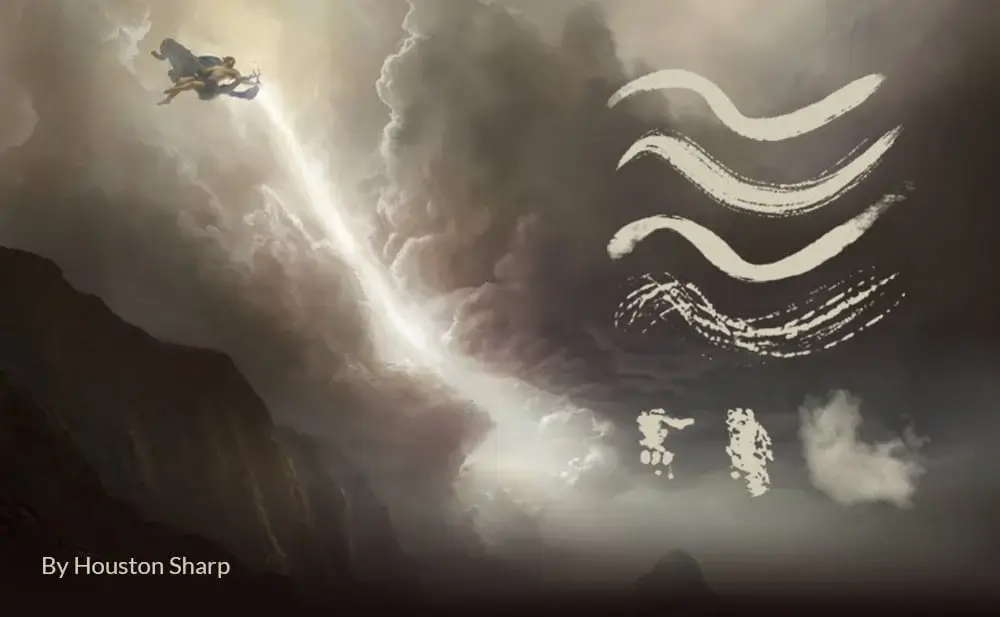
Best for:
- Cinematic scenes
- Environment painting
- Texture detailing
- Mood artwork
Artist Credit: Brushes by Houston Sharp
9. Levi Petterfy – HQ Concept Brushes
A versatile concept art brush pack featuring cloud brushes, texture tools, and rough environment painting brushes.
Moreover, if you need brushes that handle both detailed linework and broad texture passes, the next set covers both effectively.
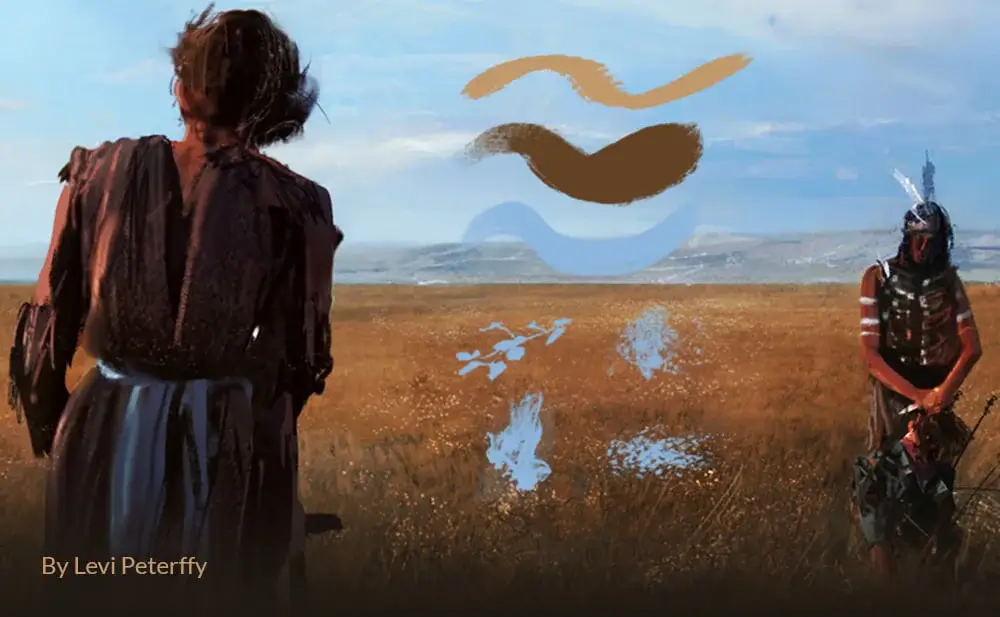
Best for:
- Environment concepts
- Cloud effects
- Speed painting
- Matte painting
Artist Credit: Brushes by Levi Petterfy
10. Dean Oyebo – TheEchoDragon Brushes
A nature-focused Photoshop brush collection designed for fantasy landscapes, ruins, and environment sketches.
In addition, for artists who prefer a looser, more painterly approach, the following brushes are ideal for quick studies and speed paintings.
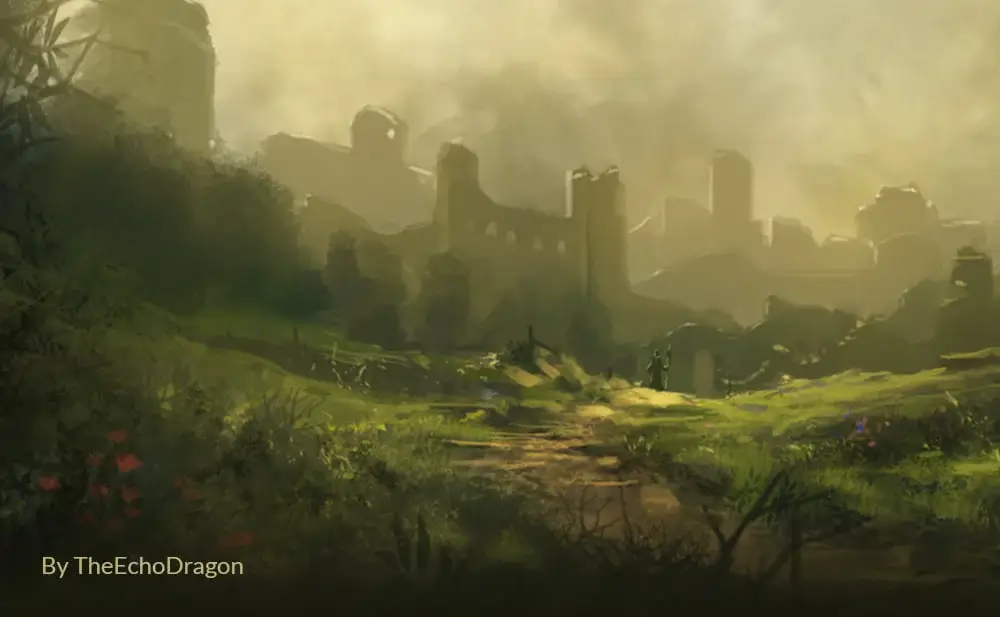
Best for:
- Fantasy landscapes
- Nature painting
- Environment sketches
- Grass textures
Artist Credit: Brushes by Dean Oyebo (TheEchoDragon)
11. Walid Feghali Brushes
Stylized environment brushes featuring terrain textures, trees, and landscape painting tools for concept artists.
Furthermore, if dark fantasy and moody environments are your niche, the next brush pack delivers exactly that aesthetic.
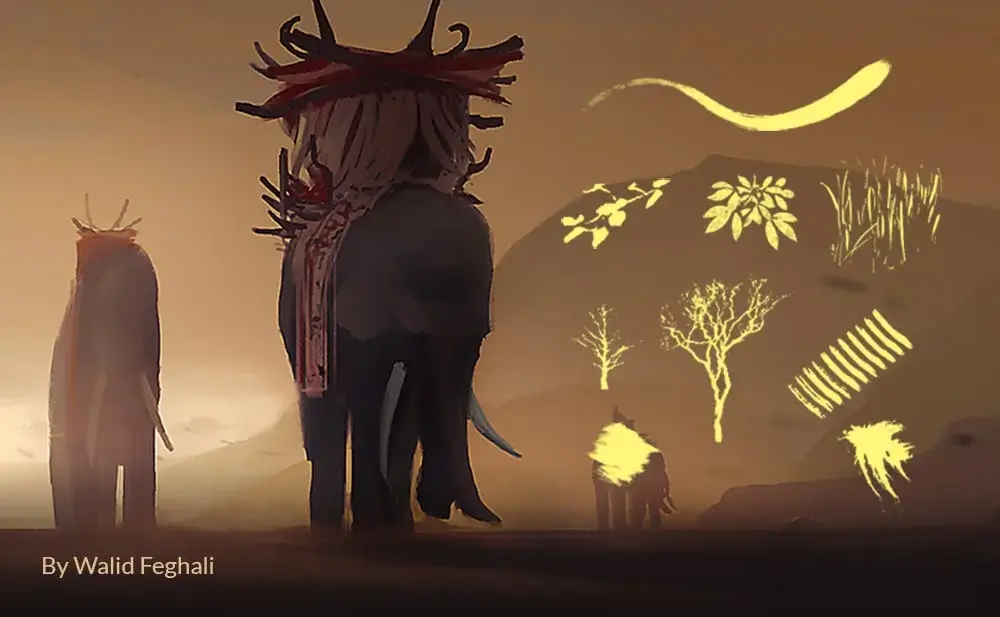
Best for:
- Landscape art
- Terrain textures
- Stylized environments
- Nature scenes
Artist Credit: Brushes by Walid Feghali
12. Chris Cold – Dark Brushes
Dark fantasy Photoshop brushes made for horror artwork, gritty textures, and cinematic fantasy compositions.
However, for artists who prefer a more traditional oil painting feel in their digital work, the following pack is an excellent choice.
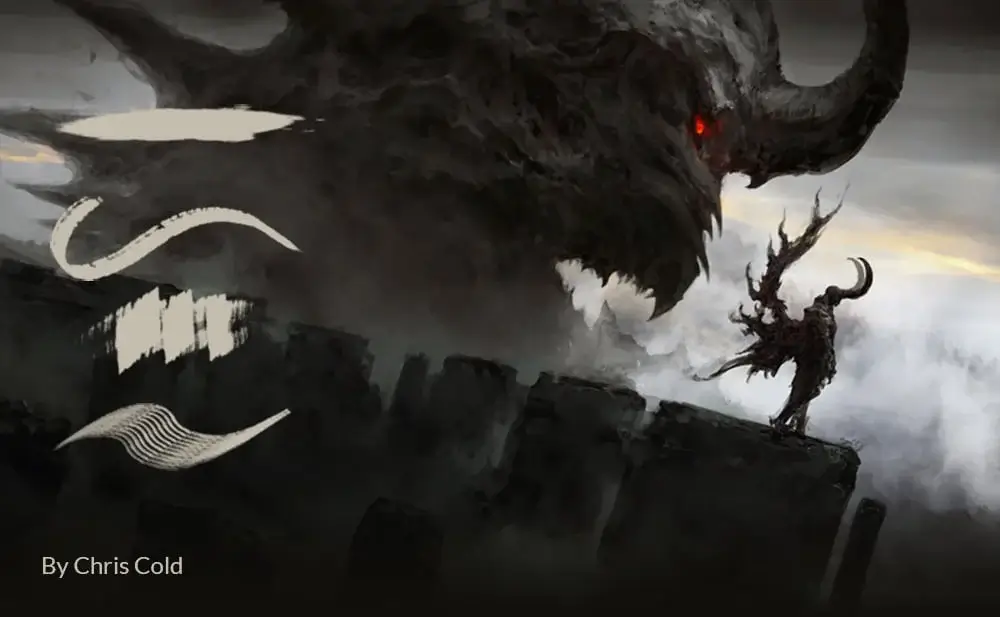
Best for:
- Dark fantasy art
- Horror concepts
- Atmospheric scenes
- Texture effects
Artist Credit: Brushes created by Chris Cold
13. Deharme Oil Brushes
Traditional oil-painting inspired brushes that simulate realistic brush strokes and painterly textures inside Photoshop.
Similarly, if you want loose, expressive brushwork with minimal effort, the next collection is specifically designed for that workflow.
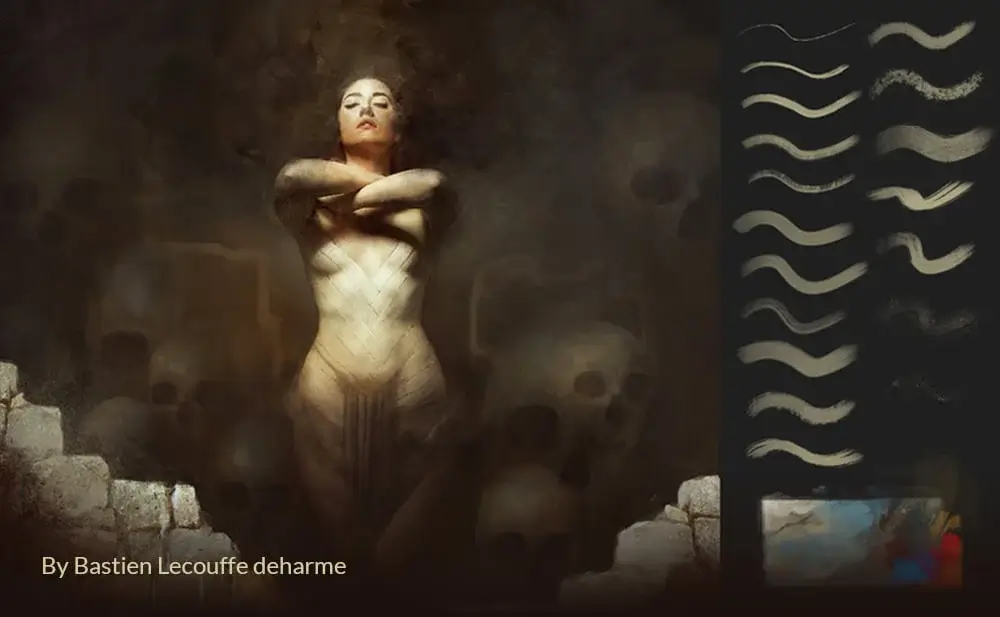
Best for:
- Oil painting effects
- Fine art illustrations
- Painterly portraits
- Traditional art style
Artist Credit: Brushes by Bastien Lecouffe Deharme
14. Lazy Brushes by Vesner
A versatile Photoshop brush collection featuring smoke effects, texture brushes, and foliage tools for daily workflows.
In contrast, for artists who need clean, precise linework alongside texture brushes, the following pack balances both effectively.
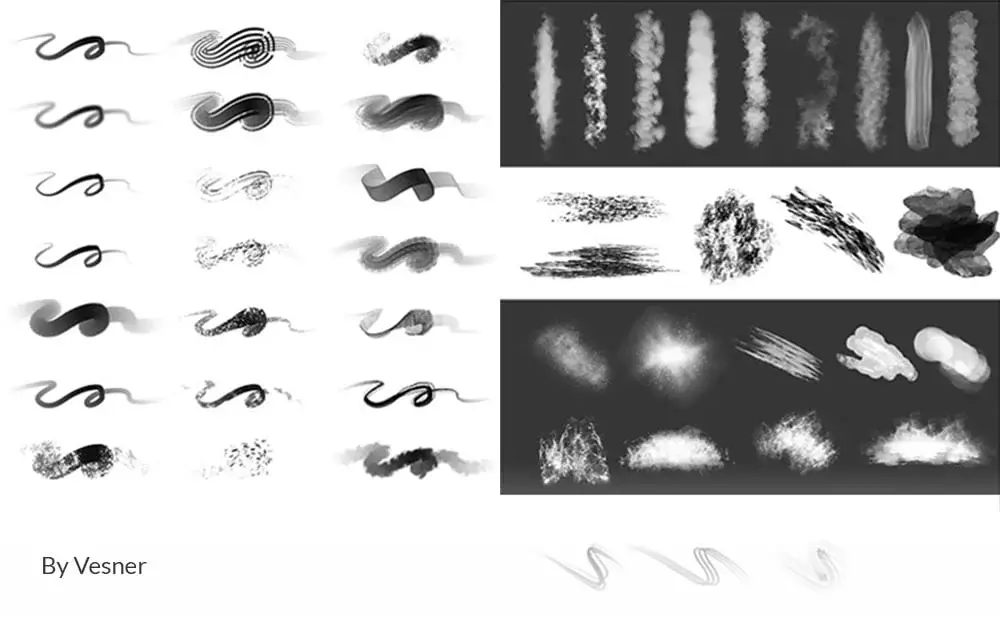
Best for:
- Smoke effects
- Texture painting
- Foliage details
- Digital art workflows
Artist Credit: Brushes by Vesner
15. TsaoShin Brushes
Fantasy illustration brushes designed for colorful digital paintings, character art, and smooth painterly rendering.
Additionally, for mixed-media effects and experimental painting styles, the next brush collection covers a broader range of techniques.
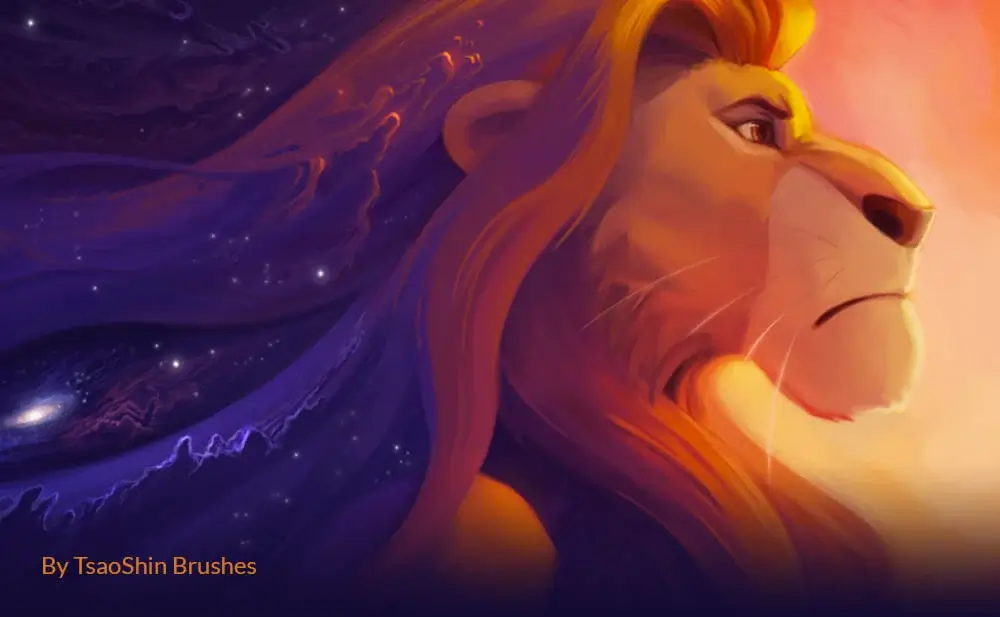
Best for:
- Fantasy characters
- Stylized art
- Colorful illustrations
- Soft rendering
Artist Credit: Brushes by TsaoShin
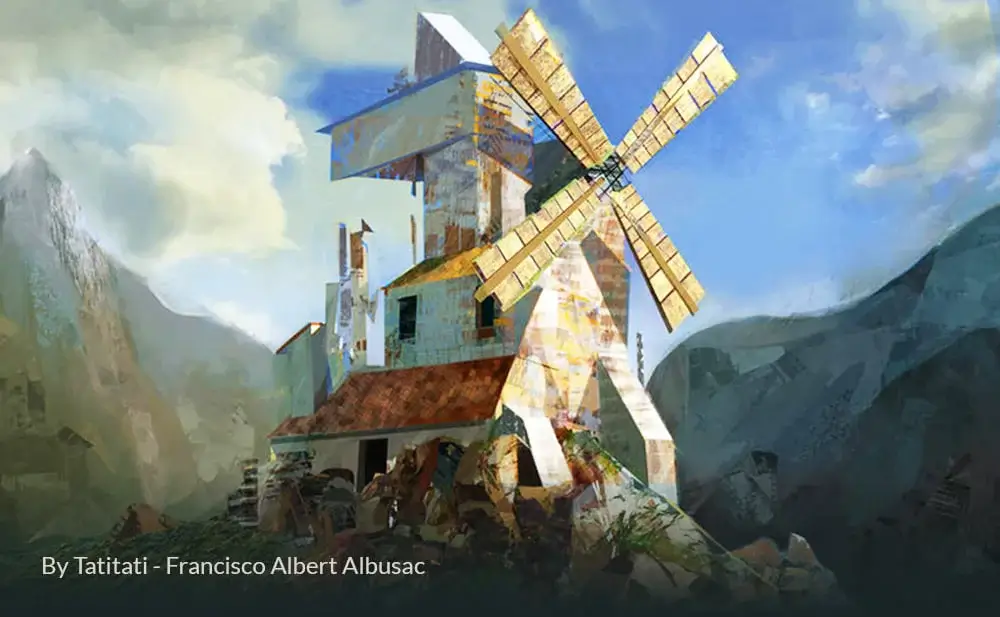
16. Francisco Albert Albusac – Mixed Brushes
A mixed Photoshop brush collection packed with rough brushes, texture tools, and concept sketching essentials.
Finally, this last brush set rounds out the collection with additional portrait and character painting tools that complement everything above.
Best for:
- Rough concepts
- Environment thumbnails
- Sketch painting
- Texture detailing
Artist Credit: Brushes by Francisco Albert Albusac
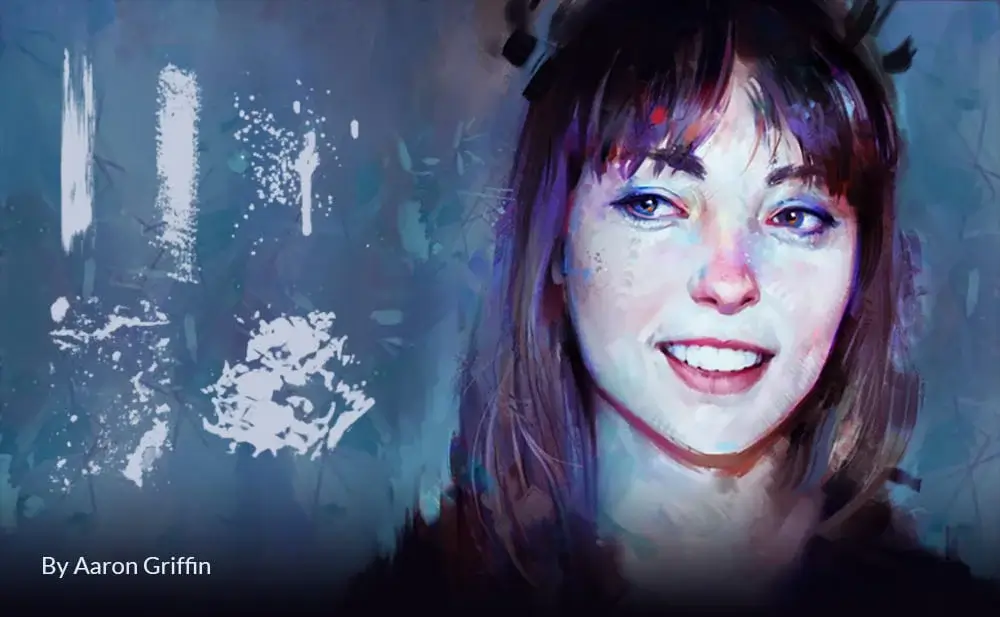
17. Aaron Griffin Brushset
A premium-quality Photoshop brush collection designed for portrait painting, concept art, and detailed digital illustrations. This brush pack includes textured brushes, soft blending tools, paint splatter effects, and sketch brushes used by professional artists.
Best for:
- Portrait painting
- Digital illustration
- Concept art
- Soft blending
- Texture detailing
Artist Credit: Brushes created by digital portrait artist Aaron Griffin
Why Professional Artists Use Custom Photoshop Brushes
Using custom Photoshop brushes can dramatically improve your workflow. Many professional artists rely on specialized brushes because they:
- Save painting time
- Improve texture quality
- Add realism quickly
- Help create cinematic environments
- Speed up concept art production
Whether you’re a beginner or an experienced digital painter, experimenting with different brush packs can help you discover your own art style faster.
Pro Tips for Better Digital Painting in Photoshop
These simple techniques can dramatically improve your results when using free Photoshop brushes for concept art, portraits, landscapes, and matte paintings.
Build Up Strokes Slowly
Instead of painting at 100% opacity, work gradually using lower opacity settings around 20–40%. This creates smoother blending and more natural lighting transitions.
Use Layer Blending Modes
Experiment with Photoshop layer modes like:
- Overlay for cinematic contrast
- Soft Light for subtle texture work
- Screen for glow effects and lighting
- Multiply for shadows and mood
These modes can completely transform basic brush strokes into professional-looking artwork.
Create Depth with Layer Masking
Duplicate your brush layers and use masks to hide certain areas. This helps create atmospheric depth in clouds, fog, forests, and environment paintings.
Combine Brushes with Color Adjustments
After painting, use Hue/Saturation, Curves, and Color Balance adjustments to match your brushwork with the overall mood of the scene.
This workflow is especially useful for:
- Cinematic sky replacement
- Fantasy environments
- Winter scenes
- Matte paintings
- YouTube thumbnail artwork
Use a Drawing Tablet for Better Control
If you use a pressure-sensitive tablet, Photoshop brushes become far more natural and responsive. Pressure sensitivity helps create realistic strokes, smoother blending, and dynamic textures.
Recommended Resources
Looking for even more premium brush packs and design assets? Envato Elements gives you unlimited access to thousands of professional Photoshop brush packs, textures, and design assets under one subscription.
For individual brush packs from independent artists, Creative Market has an excellent collection of premium and free Photoshop brushes across every style.
FAQ
Ans: Some of the best free Photoshop brushes include packs from Greg Rutkowski, Aaron Griffin, Loish, Darek Zabrocki, and Sakimichan. These brushes are widely used for concept art, portraits, and environment painting.
Ans: Yes, if downloaded from trusted artist websites or reputable design blogs. Always avoid suspicious download sites and scan files before installation.
Ans: Download the .ABR file, open Photoshop, select the Brush Tool, click the settings icon, and choose “Import Brushes.”
Ans: Greg Rutkowski, Darek Zabrocki, and Levi Petterfy brush packs are excellent for environment design, cinematic scenes, and concept art workflows.
Ans: Absolutely. Many professional brush packs are beginner-friendly and can help new artists learn blending, texture creation, and digital painting techniques faster.
Ans: Most modern ABR brush packs work with Photoshop CC, and newer versions without issues.
Final Thoughts
These free Photoshop brushes are some of the most widely used resources in the digital art community. From portrait painting and anime illustrations to cinematic concept art and matte painting, every brush pack on this list offers something valuable for Photoshop artists.
If you regularly create digital artwork, it’s worth downloading several packs and testing which brushes match your workflow best.
Bookmark this page because we’ll continue updating the collection with new free Photoshop brushes and digital art resources.
Don't Miss
300+ Trending Color Gradients For Your Design Projects
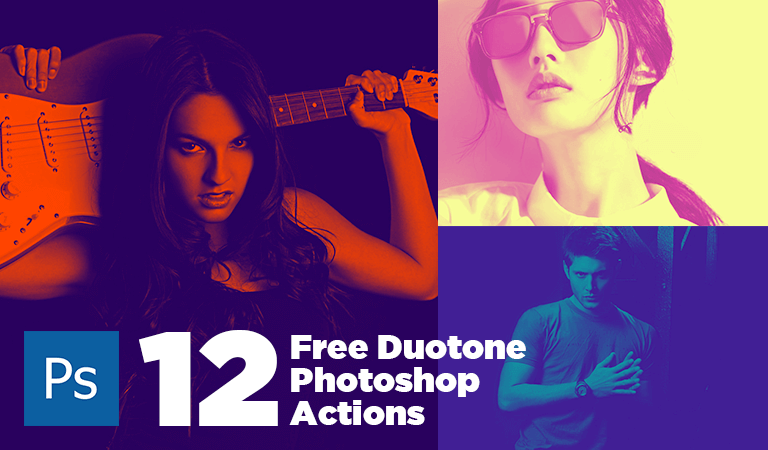
Download Free Duotone Photoshop Actions to Make Your Stylish Images
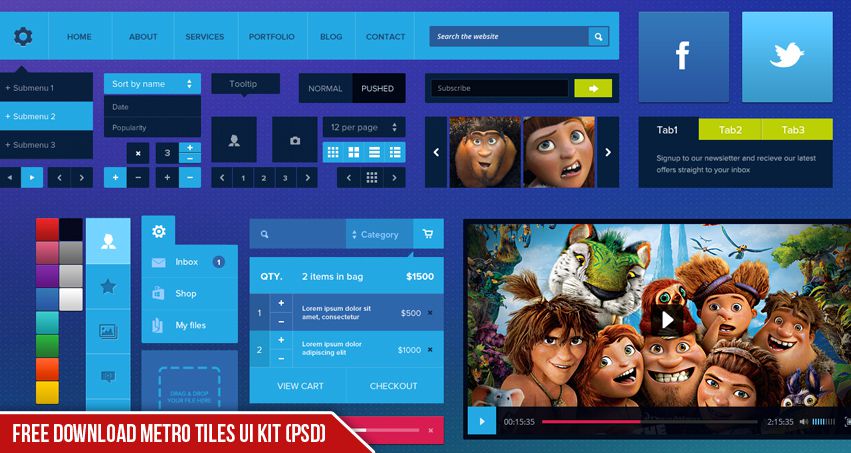
Free Download Metro Tiles UI Kit (PSD)
Download 40 Free Icon Sets for UI Designers (Full Pack)
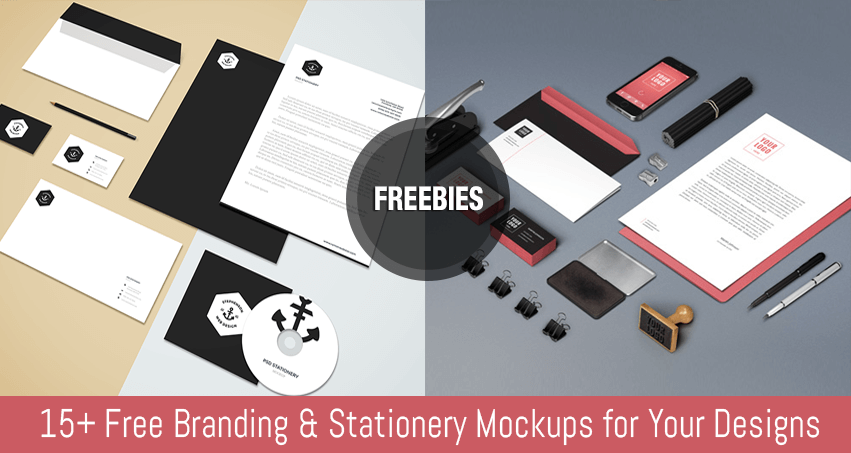
15+ Free Branding & Stationery Mockups for Your Designs